
ERNIE Image AI Image Generator -
Free Text to Image AI Online
The ERNIE Image AI image generator turns your words into high-quality visuals in seconds. Create posters, cinematic photos, manga-style panels, and bilingual text images for free - no software required. For more examples, visit the ERNIE Image site.
Size ratio
Result
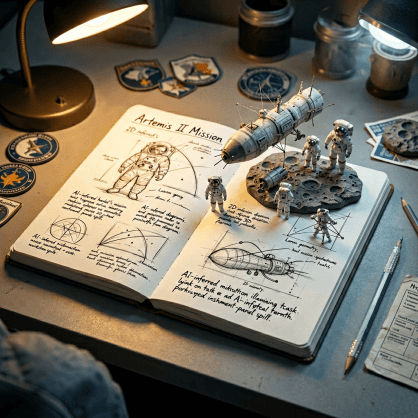
What Can the ERNIE Image AI Image Generator Create?
The ERNIE Image AI image generator was purpose-built for five creative categories that other AI tools consistently struggle with. Here's what it excels at:
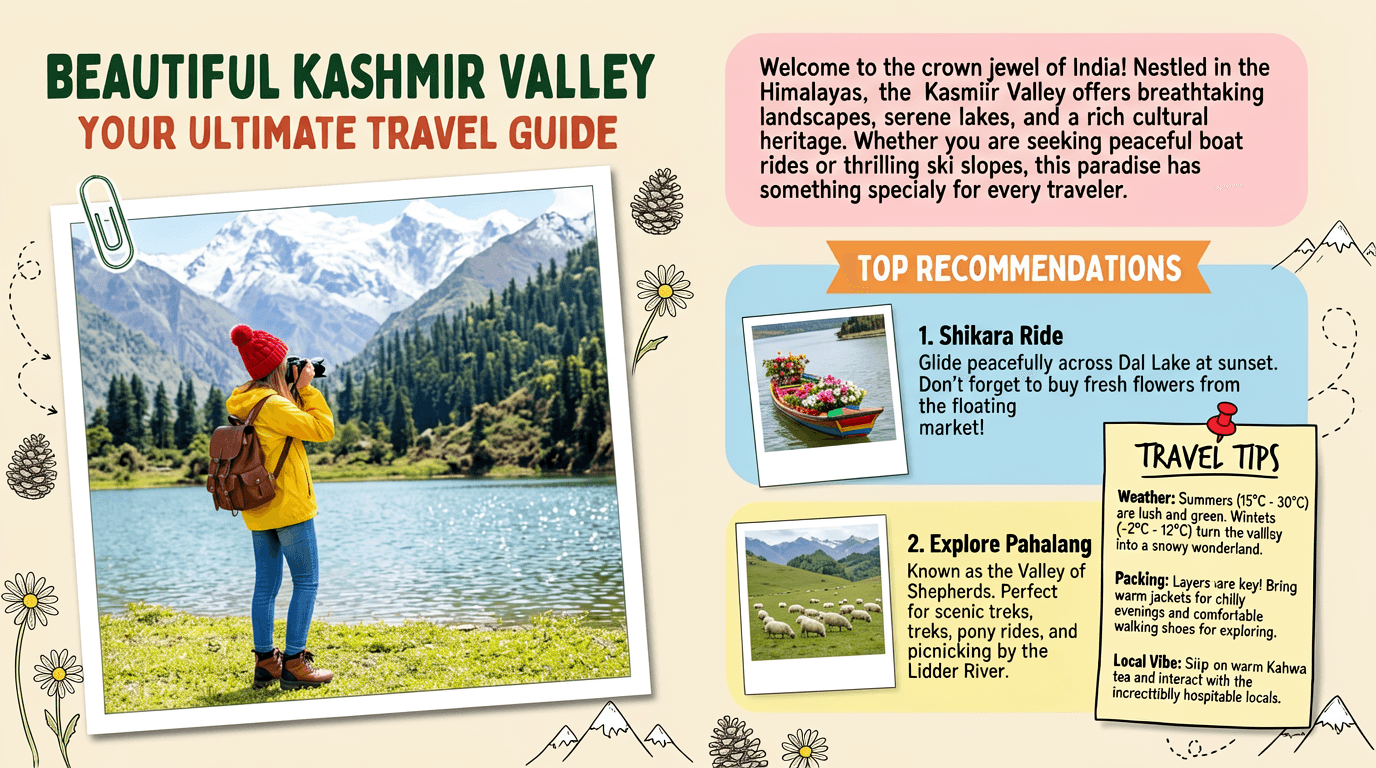
Posters & Graphic Banners
Need a visual with an actual readable headline? ERNIE Image is one of the only AI image generators that renders text inside images correctly and legibly — in any font weight, layout position, or visual style you describe. Create event posters, sale banners, social media graphics, and promotional materials with sharp, accurate type.
Example prompt:Create image of Magazine feature article [travel] guide page, cute, information dense photo book style magazine feature article page. Add all necessary sections, tips, recommendations, information. add photos for any sections and recommendations if you like. Place the attached person at the precise location of [BEAUTIFUL IN THE KASHMIR VALLEY]. Seamlessly blend the attached person as if they are sightseeing. Approach this task with the understanding that this is a critical, information rich page that will significantly influence visitor numbers, text accuracy is important. Fully use the entire [16:9] page.
Cinematic & Film-Like Photography
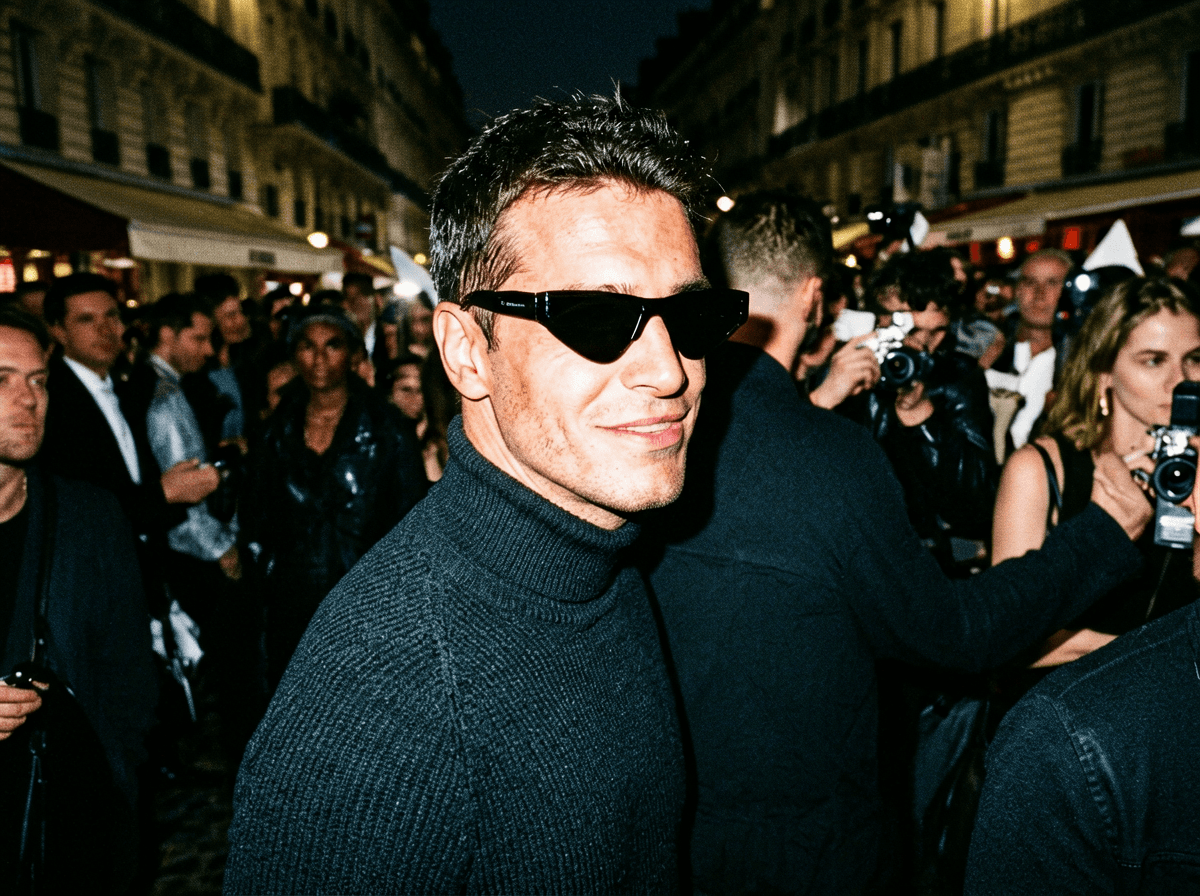
ERNIE Image produces a distinctive organic, film-like aesthetic that sets it apart from the plastic-looking output of most AI image tools. Generate atmospheric street photography, editorial portraits, mood boards, and cinematic stills with a visual quality that feels hand-made, not algorithmic.
Example prompt:Unplanned paparazzi style portrait, an intense, close-up moment capturing a man with striking features as he [looks over his shoulder with a confident smirk]. Shot from a slightly low angle, showing only his face and shoulders amidst a blurred, bustling crowd. The image feels raw and spontaneous, lit by a harsh flash, high-ISO texture. He's wearing [a dark turtleneck and stylish sunglasses], embodying effortless street style chic, the energy and atmosphere reminiscent of Paris Fashion Week chaos.
Manga, Anime & Comic Panels
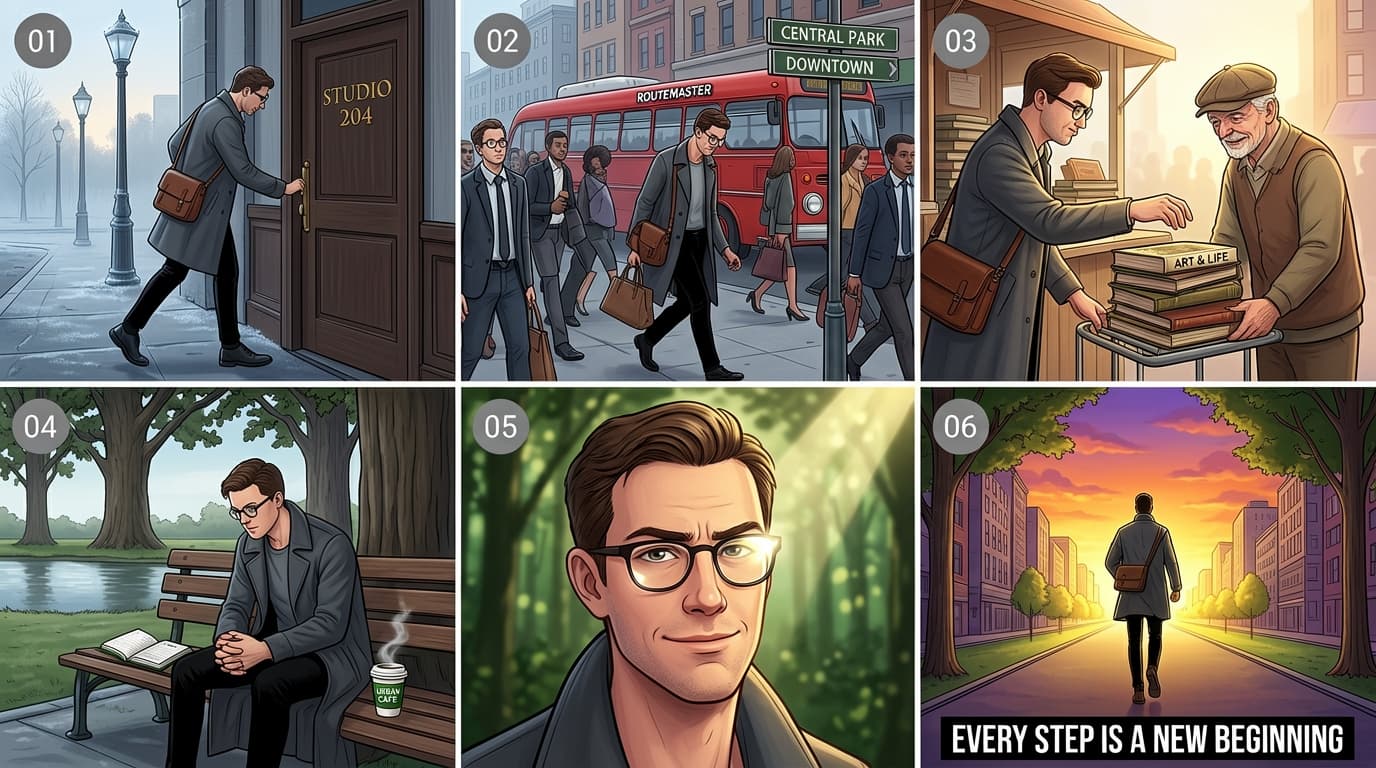
ERNIE Image handles multi-panel structured layouts with consistent character design — something nearly every other text-to-image AI fails at. Your protagonist looks the same in panel 1, panel 3, and panel 6. Build manga pages, anime storyboards, or sequential ad narratives with narrative precision.
Example prompt:This is a 16:9 multi-panel narrative illustration composed in a 3×2 grid layout (three panels per row, two rows total), centered around the theme of a “character journey,” depicting the daily emotional and psychological progression of an urban man. The art style is detailed and refined, with color tones gradually shifting from slightly cool to warm as the story unfolds. Each panel features a small gray circular icon in the top-left corner, containing white numbers from “01” to “06.” [Panel 01]: A side-view shot in the early morning. The protagonist is a man in his early thirties, wearing round glasses, a long dark gray coat, and slim black trousers. He carries a brown leather crossbody bag and is pushing open a dark wooden door labeled “STUDIO 204” in gold lettering as he steps onto the street. Old-fashioned street lamps are still lit in the background, and the ground shows faint traces of morning dew, creating a calm and quiet atmosphere. [Panel 02]: A busy urban mid-shot. The protagonist walks along a crowded sidewalk surrounded by hurried office workers. A red vintage bus marked “ROUTEMASTER” passes by him. Nearby street signs point toward “CENTRAL PARK” and “DOWNTOWN.” He appears slightly fatigued, lowering his gaze as he navigates through oncoming pedestrians carrying briefcases. [Panel 03]: A warm, intimate interaction close-up. The protagonist stops at a street corner stall and reaches out to help an elderly man steady a teetering stack of old books on a small cart. The title of the top book is clearly visible: “ART & LIFE.” The old man, wearing a newsboy cap, smiles kindly in gratitude. The lighting becomes brighter here, with soft side light gently outlining the figures. [Panel 04]: A quiet moment in the park. The protagonist sits alone on one end of a bench beneath a row of tall oak trees. On the seat beside him lies an open notebook and a steaming cup of coffee labeled “URBAN CAFE.” Leaning forward with his hands clasped on his knees, he gazes thoughtfully at the calm lake ahead, immersed in deep reflection. [Panel 05]: A close-up of the protagonist’s face. The camera captures a subtle shift in his expression. His previously furrowed brows relax, and a slight smile forms on his lips, conveying a sense of release and determination. Sunlight enters from above at an angle, leaving a bright reflection on his glasses, while the background fades into a soft blur of green foliage and dappled light. [Panel 06]: A powerful wide shot from behind. The protagonist strides forward with purpose and confidence along a straight, tree-lined avenue toward a glowing golden horizon. Buildings on both sides converge at the vanishing point. The sky is painted with a dramatic orange-purple sunset. At the bottom center of the frame, bold black text reads: “EVERY STEP IS A NEW BEGINNING.”
Bilingual & Multilingual Text Images
Generate images with accurate text in English, Chinese, and other languages — simultaneously in the same image. Ideal for bilingual packaging, cross-market social content, and international campaigns. ERNIE Image is the only AI image generator verified to render Chinese characters without corruption.
Example prompt:A doodle-style infographic containing four slide cards arranged in a 2×2 grid layout, explaining the concept of futures in finance to high school students. The overall image presents a consistent thick-lined colored-pencil hand-drawn style, with bright colors and bold lines carrying a distinct pencil-grain texture. Each card has a soft solid-color background, enclosed by a rough black pencil hand-drawn border, and each card features a centered, underlined, black bold handwritten-style unified title at the top, typeset similarly to a carefully designed PPT presentation slide. The upper-left card has a pale yellow background. The top title reads 'What Are Futures?'. The illustration shows a doodle of a farmer wearing a straw hat on the left, and a doodle of a baker wearing a white chef's hat on the right. The farmer has a thought bubble above his head containing a wheat stalk, a downward red arrow, and a dollar sign; the baker also has a thought bubble, depicting a croissant, an upward green arrow, and a dollar sign. The black handwritten text at the bottom of the card reads: 'Meet Farmer Bob and Baker Sue. Bob worries wheat prices will drop. Sue worries wheat prices will rise.' The upper-right card has a pale blue background. The top title reads 'The Contract'. Drawn in the center of the frame is a large scroll-shaped paper contract, with a closed golden padlock icon above the contract and a pair of shaking hands below it. Written on the contract surface in large text are '$500' and '6 Months'. The text at the bottom reads: 'They sign a "Futures Contract". They agree to trade 100 sacks of wheat for $500 in 6 months. Price is locked!' The lower-left card has a pale pink background. The top title reads 'Time Passes'. The central illustration is an open calendar with a clock in the middle whose hands are spinning rapidly, representing the passage of time. Surrounding the calendar is a dramatically fluctuating red line chart, with the line moving up and down, and a bubble annotation beside it reading '? $400 ?
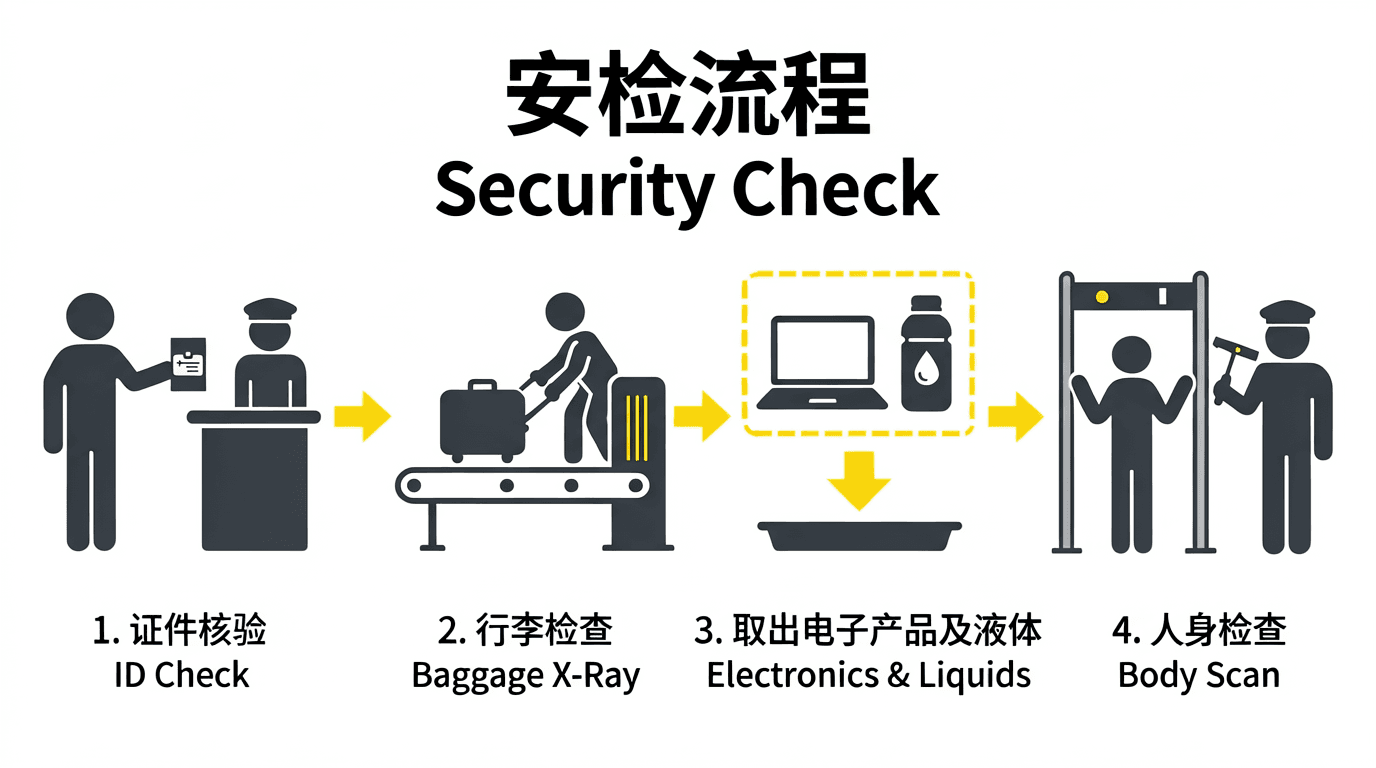
Product Lifestyle Shots
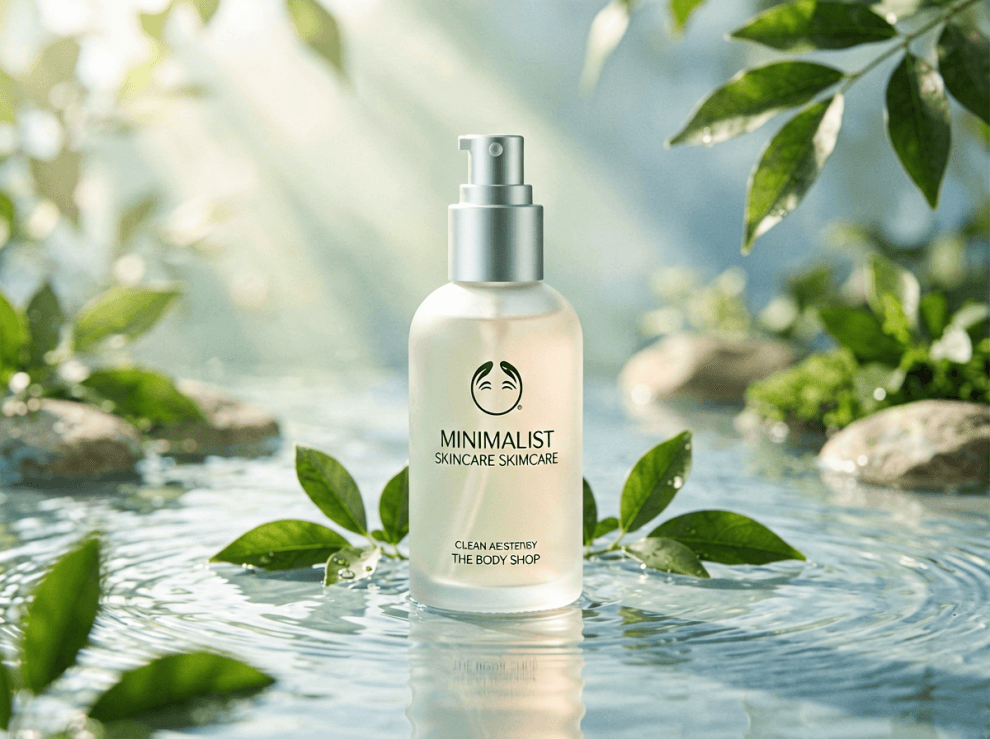
Skip the photography studio. ERNIE Image generates e-commerce-ready lifestyle product images — ceramics on warm wood surfaces, skincare in spa settings, tech accessories on minimalist desks — with photorealistic quality suitable for online stores and brand collateral.
Example prompt:Eco-Friendly Skincare Product “Minimalist skincare bottle made of frosted glass, placed in a serene natural setting with flowing water, green leaves, and soft sunlight rays, clean aesthetic inspired by The Body Shop, sustainability-focused branding, soft pastel tones, high-end product photography, calm and pure atmosphere”, aspect ratio 4:3, photorealistic, high resolution
How to Use the ERNIE Image AI Image Generator - 3 Steps
Getting started with the ERNIE Image AI image generator takes less than a minute. No tutorials required.
- 1
Step 1: Describe Your Vision
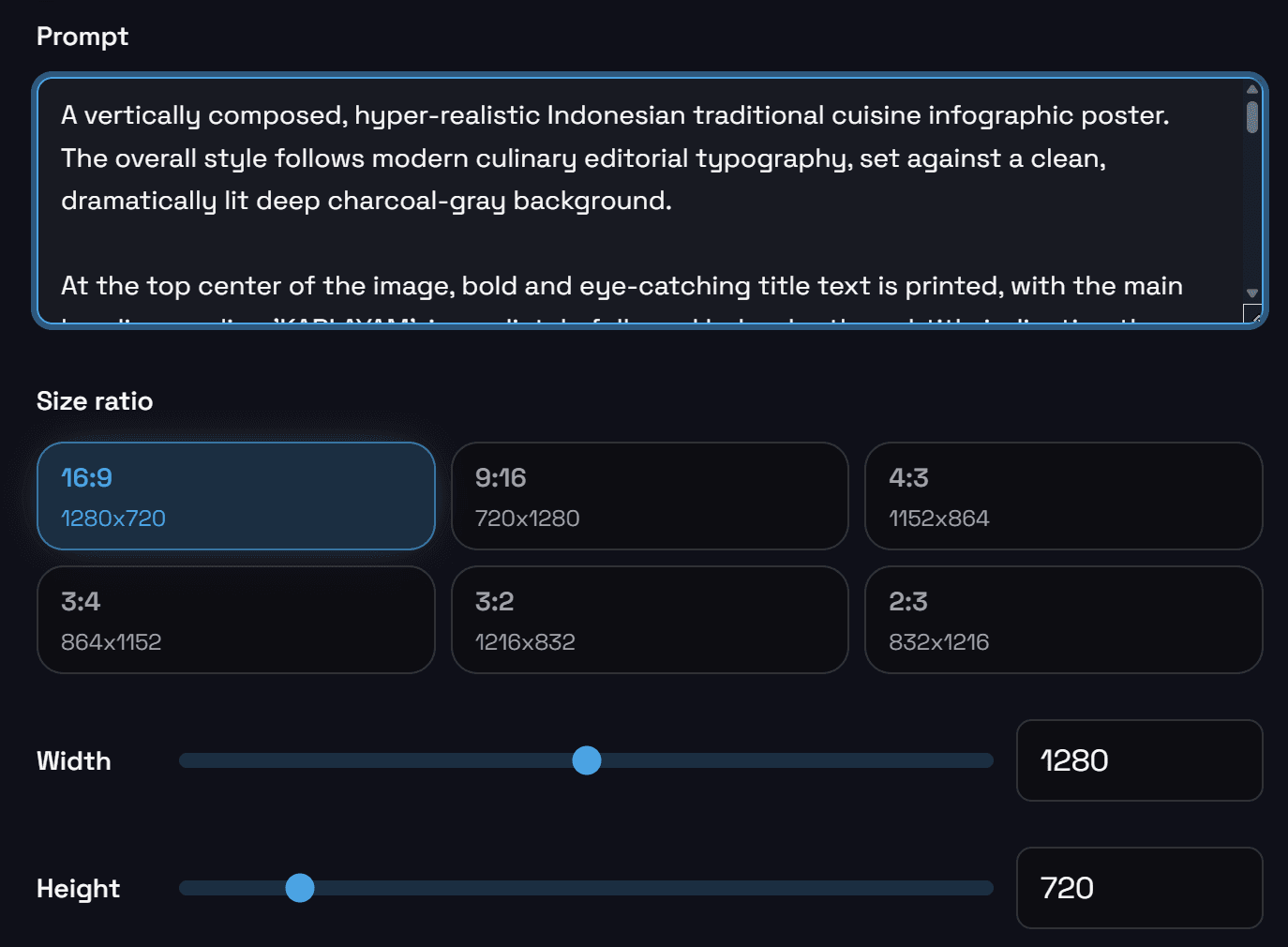
Type your prompt in plain English. If you need help, click Enhance Prompt to expand your draft into a richer, structured prompt.
- 2
Step 2: Choose Your Settings
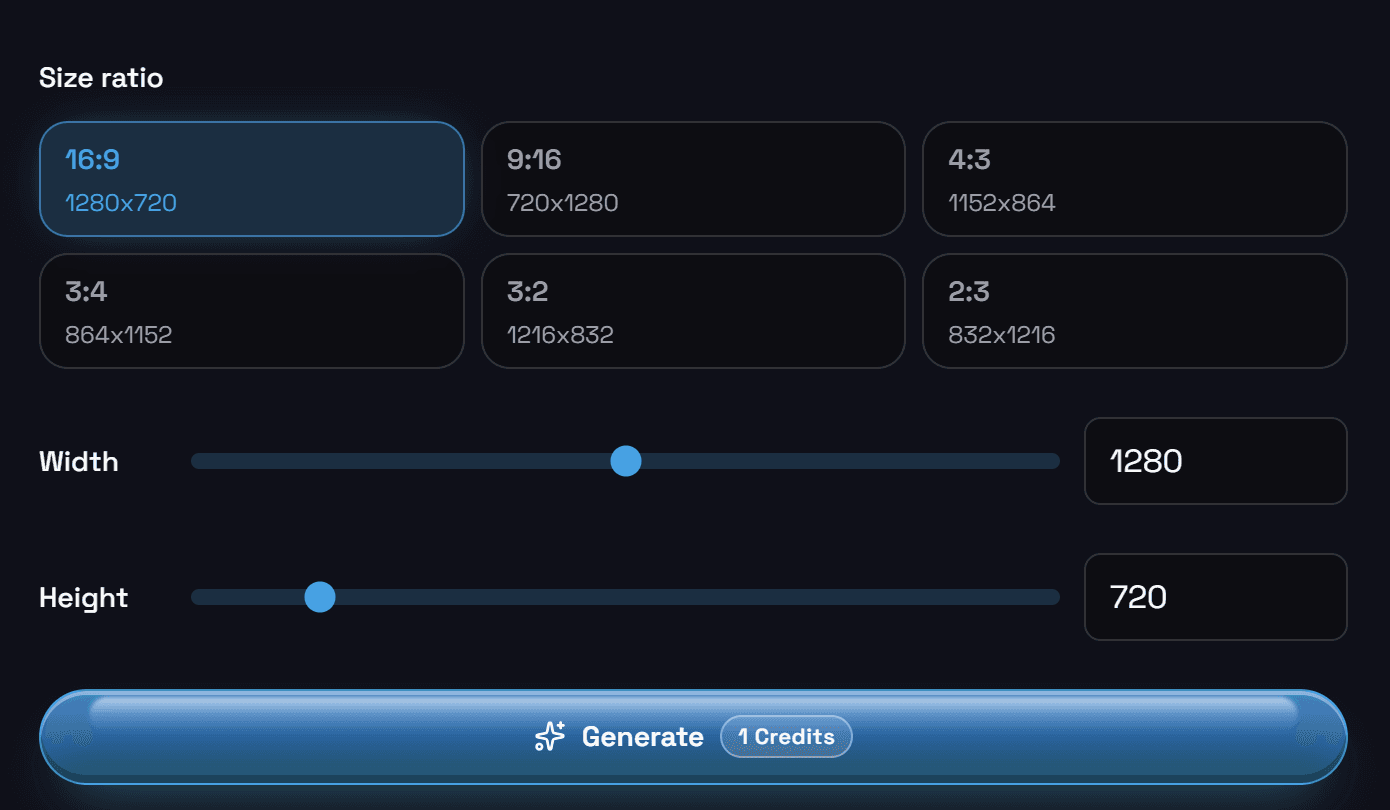
Pick your resolution, choose ERNIE Image for max quality or ERNIE Image Turbo for speed, and keep defaults when you want balanced results.
- 3
Step 3: Generate and Download
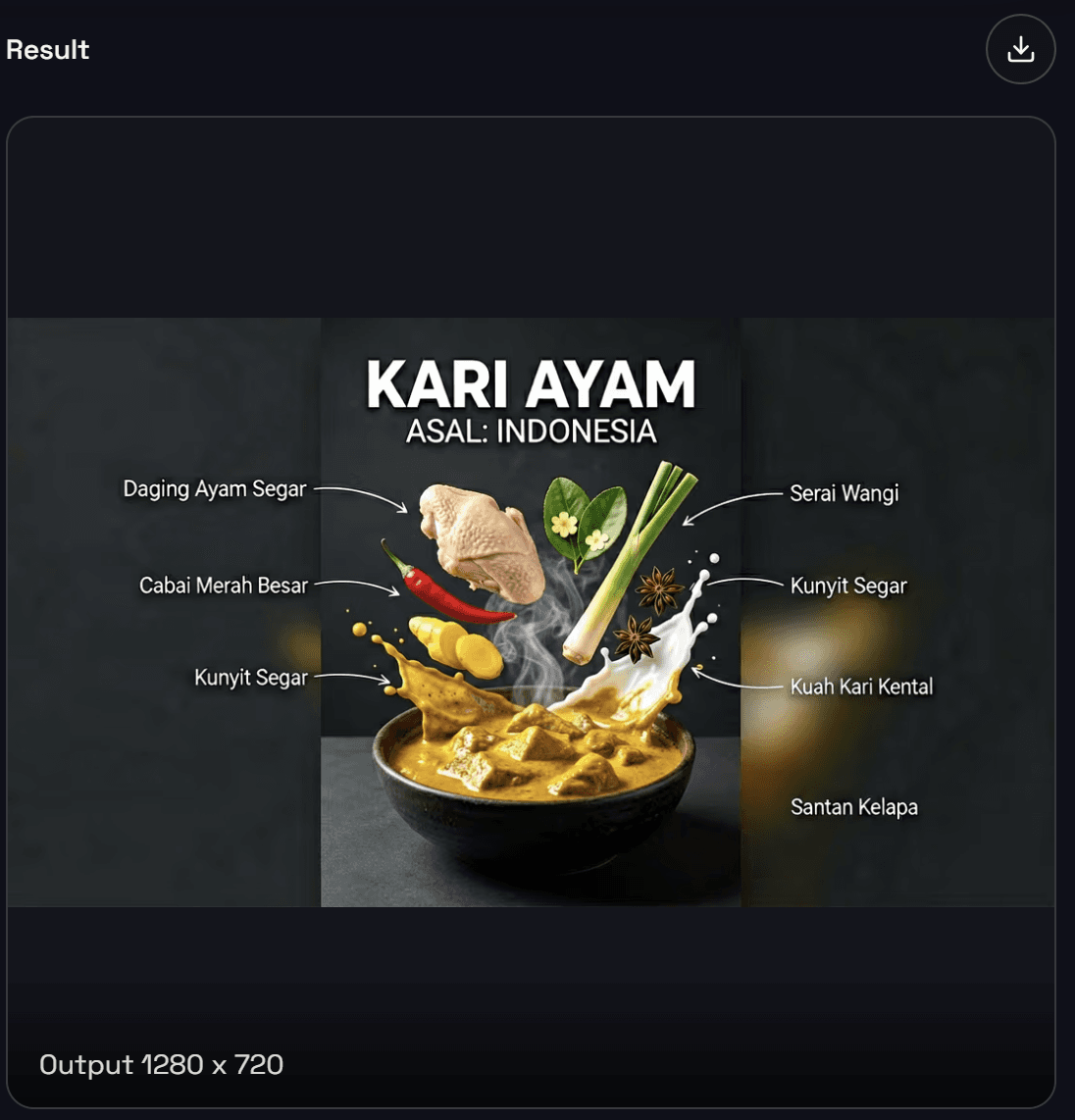
Click Generate, review the output, then download your full-resolution PNG or iterate with a refined prompt.
Want to go deeper? Read the complete ERNIE Image prompt guide on the homepage.
ERNIE Image or ERNIE Image Turbo?
Two generation modes - pick speed for exploration, pick full quality for finals.
| Feature | ERNIE Image | ERNIE Image Turbo |
|---|---|---|
| Inference steps | 50 steps | 8 steps |
| Speed | Standard | ~6× faster |
| Output quality | Maximum fidelity | High quality, slightly softer |
| Best for | Final renders, print, posters, precise text | Rapid ideation, social content, iteration |
| When to use | You know what you want and need the best result | You're exploring, testing, or need fast output |
Our recommendation: Start with ERNIE Image Turbo to explore and iterate quickly. When you have refined your prompt and are ready for the final version, switch to ERNIE Image for the highest quality result. Both modes are available free with your account.
Why This AI Image Generator Is Different
There are hundreds of AI image generators online. Here is what makes the ERNIE Image AI image generator worth choosing.
Text that actually reads
Legible English or Chinese, placed where you asked — the reason to switch if posters and packaging are in your workflow.
Prompt fidelity
Complex, multi-part prompts stay coherent — instruction-following tuned for real creative direction, not vague vibes.
Film-first aesthetics
Cinematic contrast and texture instead of plastic gloss — visuals that sit next to photography without screaming “AI.”
One studio, every format
Poster, manga, product, banner — iterate in one place with Turbo for speed and full ERNIE Image for finals.
ERNIE Image pricing & credits
Buy credits to run the ERNIE Image studio: each generation uses credits based on the job you start. Pick a one-time pack that fits your workflow, pay securely, and top up whenever you need more output for posters, storyboards, and text-heavy visuals.
- 150 Credits
- $0.065 per credit
- Generate 150 AI images
- All ERNIE Image features
- One-time payment
- 540 Credits
- $0.055 per credit
- Generate 540 AI images
- All ERNIE Image features
- One-time payment
- Best value
- 1100 Credits
- $0.045 per credit
- Generate 1100 AI images
- All ERNIE Image features
- One-time payment
- Maximum savings
Choose one-time credits or subscription • Flexible billing options
ERNIE Image AI Image Generator - Frequently Asked Questions
What kinds of images can I actually make with this?+
Pretty much anything visual. The ERNIE Image AI image generator is especially good at things other tools struggle with: posters and banners where the text actually reads correctly, cinematic-style photos that look like real photography, manga and comic panels with consistent characters, lifestyle product shots for e-commerce, and social media graphics with readable headlines. If you can describe it, ERNIE Image can generate it.
Is it really free? What's the catch?+
Yes, genuinely free to start. Sign up for a free account — no credit card required — and you get a generous quota of image generations right away. There's no catch. If you need to generate at high volume for professional or agency work, paid plans are available. But for most individual creators, the free tier is more than enough.
I'm not a designer or artist. Can I still use this?+
Absolutely. You don't need any design skills, art training, or technical background. Just describe what you want in plain English — the same way you'd explain it to a friend — and the AI generates it. If you're stuck on where to start, click Enhance Prompt and the AI will flesh out your idea automatically. Anyone can use this within minutes of signing up.
How do I get better-looking results?+
A few simple tips that make a big difference: (1) Be specific — instead of "a coffee shop," try "a cozy autumn coffee shop, warm amber lighting, rain on the window." (2) Name a style — add words like "film-like," "minimalist," "manga," or "editorial photo." (3) Mention composition — "wide shot," "close-up portrait," "bird's-eye view." (4) If you need text in the image, write it out exactly — ERNIE Image will reproduce it accurately. See our full prompt guide on the homepage for 20+ ready-to-use examples.
Can I use ERNIE Image to make images for Instagram, YouTube, or TikTok?+
Yes — and it's great for exactly this. Generate custom thumbnail images, quote graphics, story backgrounds, channel art, and promotional visuals tailored to each platform's dimensions. ERNIE Image supports multiple aspect ratios (square, portrait, landscape, widescreen) so your content fits every platform perfectly. Because it renders text inside images correctly, your headlines and captions will actually be sharp and readable — not the usual AI gibberish.
How long does it take to generate an image?+
Fast. In ERNIE Image Turbo mode, you'll typically have your result in under 10 seconds. In standard ERNIE Image mode (for higher-quality, more detailed outputs), it takes about 30–60 seconds. Either way, you're looking at a result almost immediately — no waiting around.
Can I sell the images I create, or use them for my business?+
Yes. Images you generate on ernie-image.co can be used for personal and commercial purposes, including business marketing, product listings, social media campaigns, client work, and merchandise. Please review the full Terms of Service at ernie-image.co/terms to confirm your specific use case is covered.
How is ERNIE Image different from DALL-E, Midjourney, or other free AI art tools?+
Three things stand out. First, ERNIE Image actually renders text inside images correctly — your poster headlines are sharp and legible, not garbled nonsense. DALL-E and most other tools are consistently bad at this. Second, it produces a cinematic, film-like visual style that looks more like real photography and less like "AI art." Third, it supports multi-panel structured layouts (comics, storyboards, sequential campaigns) with consistent characters — which almost no other tool can do reliably. And unlike Midjourney, it is free to start.
Start Creating with ERNIE Image - Free
You have the tool. You have the ideas. Now all you need to do is generate. Free to start, runs in your browser, and takes seconds to produce a result — no experience required, no software to install.