
How to Use ERNIE Image - Complete Tutorial & Prompt Guide
This is your practical playbook for using ERNIE Image: start fast, write better prompts, tune the right settings, and turn drafts into publish-ready visuals with fewer retries. For more product examples, visit the ERNIE Image site.
Posters & Graphic Banners
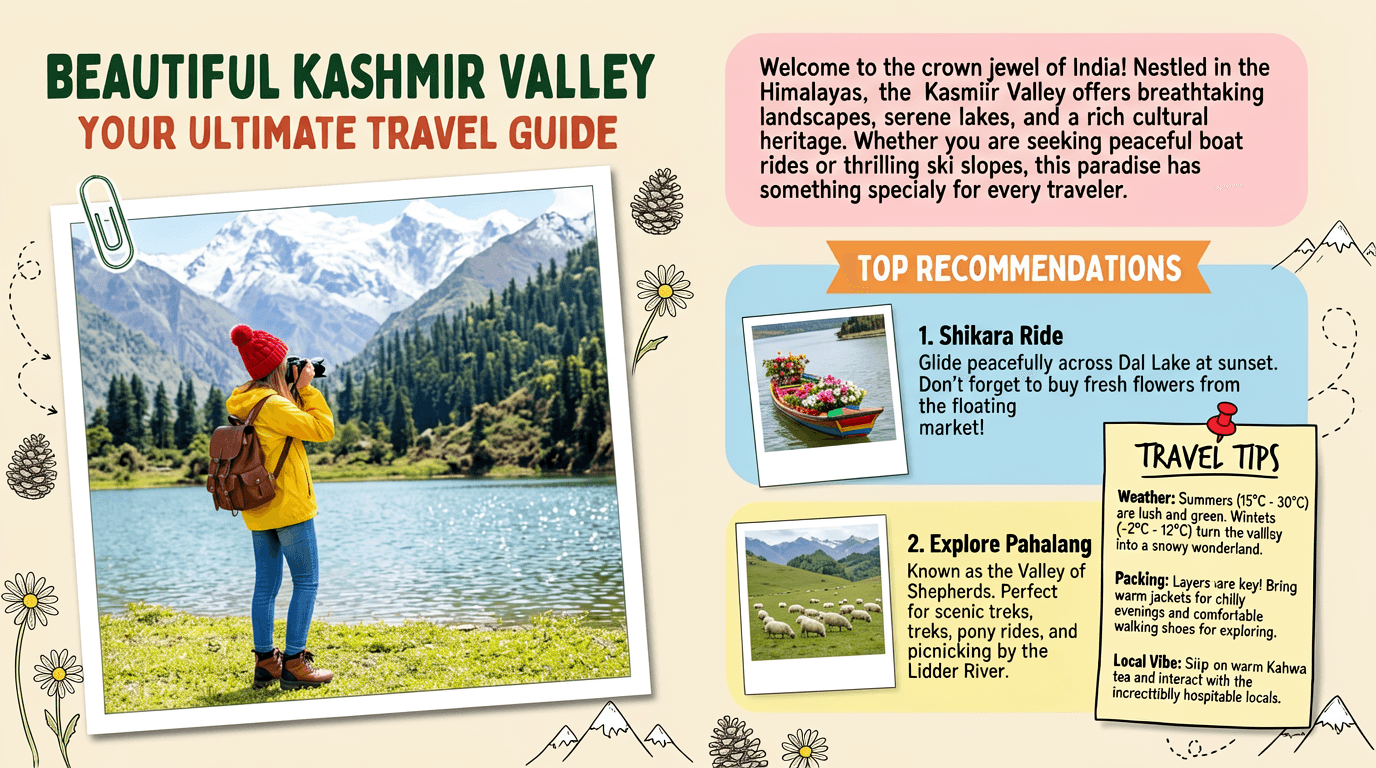
Need a visual with an actual readable headline? ERNIE Image is one of the only AI image generators that renders text inside images correctly and legibly - in any font weight, layout position, or visual style you describe. Create event posters, sale banners, social media graphics, and promotional materials with sharp, accurate type.
Example prompt:Create image of Magazine feature article [travel] guide page, cute, information dense photo book style magazine feature article page. Add all necessary sections, tips, recommendations, information. add photos for any sections and recommendations if you like. Place the attached person at the precise location of [BEAUTIFUL IN THE KASHMIR VALLEY]. Seamlessly blend the attached person as if they are sightseeing. Approach this task with the understanding that this is a critical, information rich page that will significantly influence visitor numbers, text accuracy is important. Fully use the entire [16:9] page.
Cinematic & Film-Like Photography
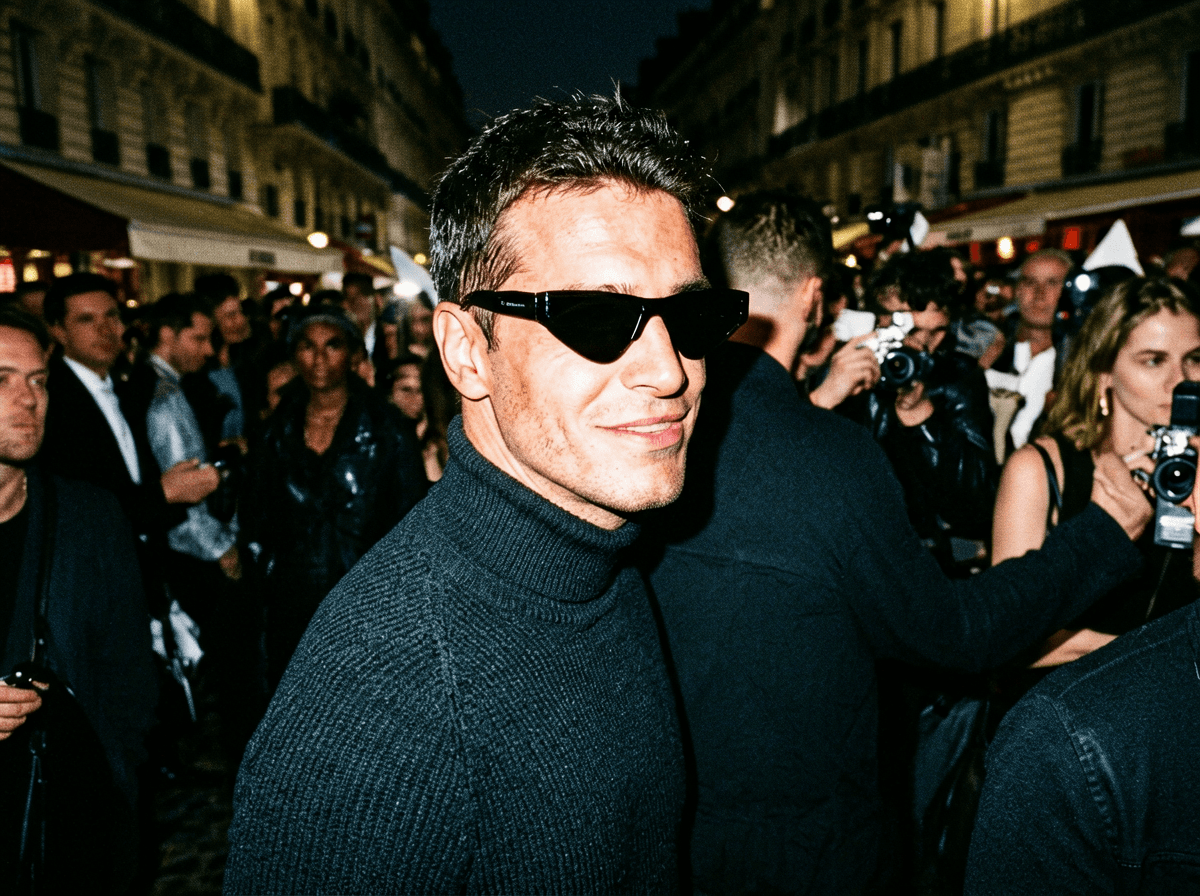
ERNIE Image produces a distinctive organic, film-like aesthetic that sets it apart from the plastic-looking output of most AI image tools. Generate atmospheric street photography, editorial portraits, mood boards, and cinematic stills with a visual quality that feels hand-made, not algorithmic.
Example prompt:Unplanned paparazzi style portrait, an intense, close-up moment capturing a man with striking features as he [looks over his shoulder with a confident smirk]. Shot from a slightly low angle, showing only his face and shoulders amidst a blurred, bustling crowd. The image feels raw and spontaneous, lit by a harsh flash, high-ISO texture. He's wearing [a dark turtleneck and stylish sunglasses], embodying effortless street style chic, the energy and atmosphere reminiscent of Paris Fashion Week chaos.
Manga, Anime & Comic Panels
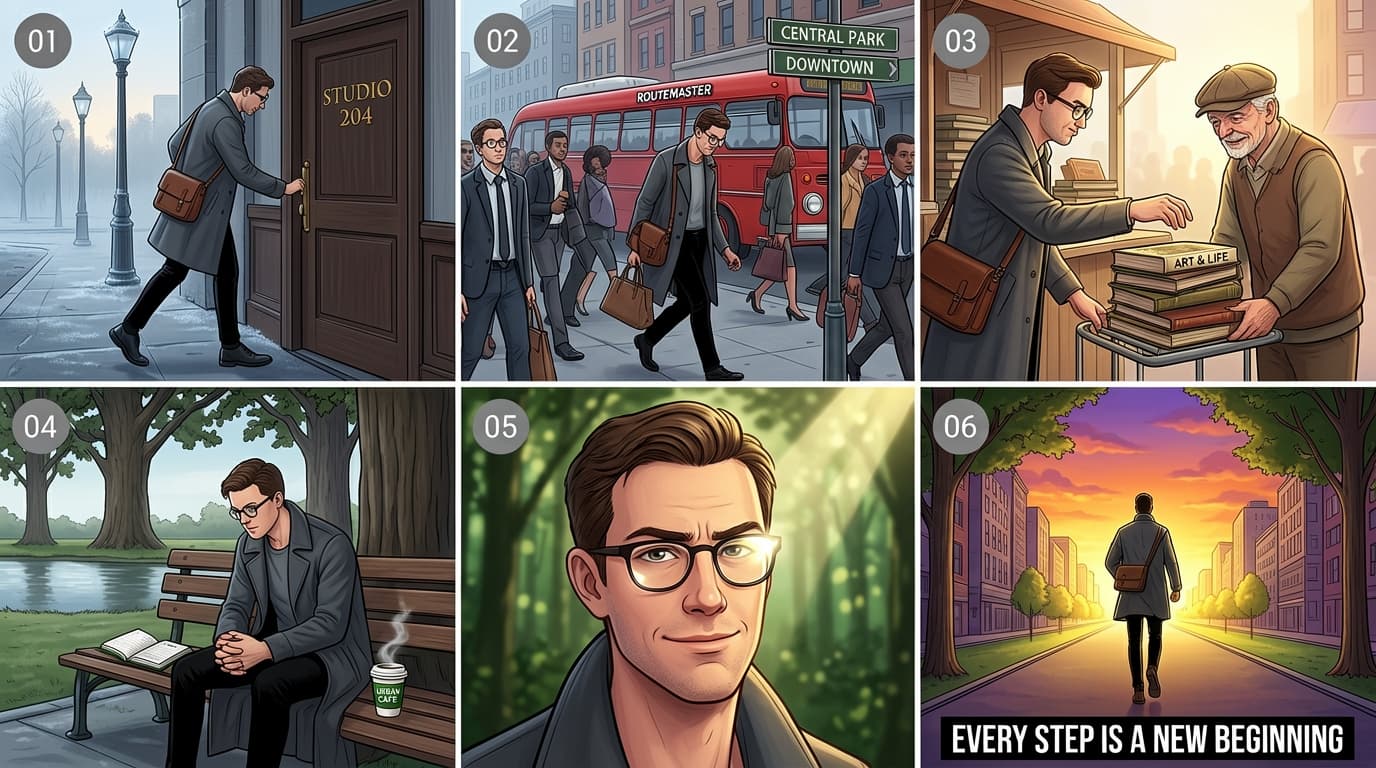
ERNIE Image handles multi-panel structured layouts with consistent character design - something nearly every other text-to-image AI fails at. Your protagonist looks the same in panel 1, panel 3, and panel 6. Build manga pages, anime storyboards, or sequential ad narratives with narrative precision.
Example prompt:This is a 16:9 multi-panel narrative illustration composed in a 3×2 grid layout (three panels per row, two rows total), centered around the theme of a “character journey,” depicting the daily emotional and psychological progression of an urban man. The art style is detailed and refined, with color tones gradually shifting from slightly cool to warm as the story unfolds. Each panel features a small gray circular icon in the top-left corner, containing white numbers from “01” to “06.” [Panel 01]: A side-view shot in the early morning. The protagonist is a man in his early thirties, wearing round glasses, a long dark gray coat, and slim black trousers. He carries a brown leather crossbody bag and is pushing open a dark wooden door labeled “STUDIO 204” in gold lettering as he steps onto the street. Old-fashioned street lamps are still lit in the background, and the ground shows faint traces of morning dew, creating a calm and quiet atmosphere. [Panel 02]: A busy urban mid-shot. The protagonist walks along a crowded sidewalk surrounded by hurried office workers. A red vintage bus marked “ROUTEMASTER” passes by him. Nearby street signs point toward “CENTRAL PARK” and “DOWNTOWN.” He appears slightly fatigued, lowering his gaze as he navigates through oncoming pedestrians carrying briefcases. [Panel 03]: A warm, intimate interaction close-up. The protagonist stops at a street corner stall and reaches out to help an elderly man steady a teetering stack of old books on a small cart. The title of the top book is clearly visible: “ART & LIFE.” The old man, wearing a newsboy cap, smiles kindly in gratitude. The lighting becomes brighter here, with soft side light gently outlining the figures. [Panel 04]: A quiet moment in the park. The protagonist sits alone on one end of a bench beneath a row of tall oak trees. On the seat beside him lies an open notebook and a steaming cup of coffee labeled “URBAN CAFE.” Leaning forward with his hands clasped on his knees, he gazes thoughtfully at the calm lake ahead, immersed in deep reflection. [Panel 05]: A close-up of the protagonist’s face. The camera captures a subtle shift in his expression. His previously furrowed brows relax, and a slight smile forms on his lips, conveying a sense of release and determination. Sunlight enters from above at an angle, leaving a bright reflection on his glasses, while the background fades into a soft blur of green foliage and dappled light. [Panel 06]: A powerful wide shot from behind. The protagonist strides forward with purpose and confidence along a straight, tree-lined avenue toward a glowing golden horizon. Buildings on both sides converge at the vanishing point. The sky is painted with a dramatic orange-purple sunset. At the bottom center of the frame, bold black text reads: “EVERY STEP IS A NEW BEGINNING.”
Bilingual & Multilingual Text Images
Generate images with accurate text in English, Chinese, and other languages - simultaneously in the same image. Ideal for bilingual packaging, cross-market social content, and international campaigns. ERNIE Image is the only AI image generator verified to render Chinese characters without corruption.
Example prompt:A doodle-style infographic containing four slide cards arranged in a 2×2 grid layout, explaining the concept of futures in finance to high school students. The overall image presents a consistent thick-lined colored-pencil hand-drawn style, with bright colors and bold lines carrying a distinct pencil-grain texture. Each card has a soft solid-color background, enclosed by a rough black pencil hand-drawn border, and each card features a centered, underlined, black bold handwritten-style unified title at the top, typeset similarly to a carefully designed PPT presentation slide. The upper-left card has a pale yellow background. The top title reads 'What Are Futures?'. The illustration shows a doodle of a farmer wearing a straw hat on the left, and a doodle of a baker wearing a white chef's hat on the right. The farmer has a thought bubble above his head containing a wheat stalk, a downward red arrow, and a dollar sign; the baker also has a thought bubble, depicting a croissant, an upward green arrow, and a dollar sign. The black handwritten text at the bottom of the card reads: 'Meet Farmer Bob and Baker Sue. Bob worries wheat prices will drop. Sue worries wheat prices will rise.' The upper-right card has a pale blue background. The top title reads 'The Contract'. Drawn in the center of the frame is a large scroll-shaped paper contract, with a closed golden padlock icon above the contract and a pair of shaking hands below it. Written on the contract surface in large text are '$500' and '6 Months'. The text at the bottom reads: 'They sign a "Futures Contract". They agree to trade 100 sacks of wheat for $500 in 6 months. Price is locked!' The lower-left card has a pale pink background. The top title reads 'Time Passes'. The central illustration is an open calendar with a clock in the middle whose hands are spinning rapidly, representing the passage of time. Surrounding the calendar is a dramatically fluctuating red line chart, with the line moving up and down, and a bubble annotation beside it reading '? $400 ?
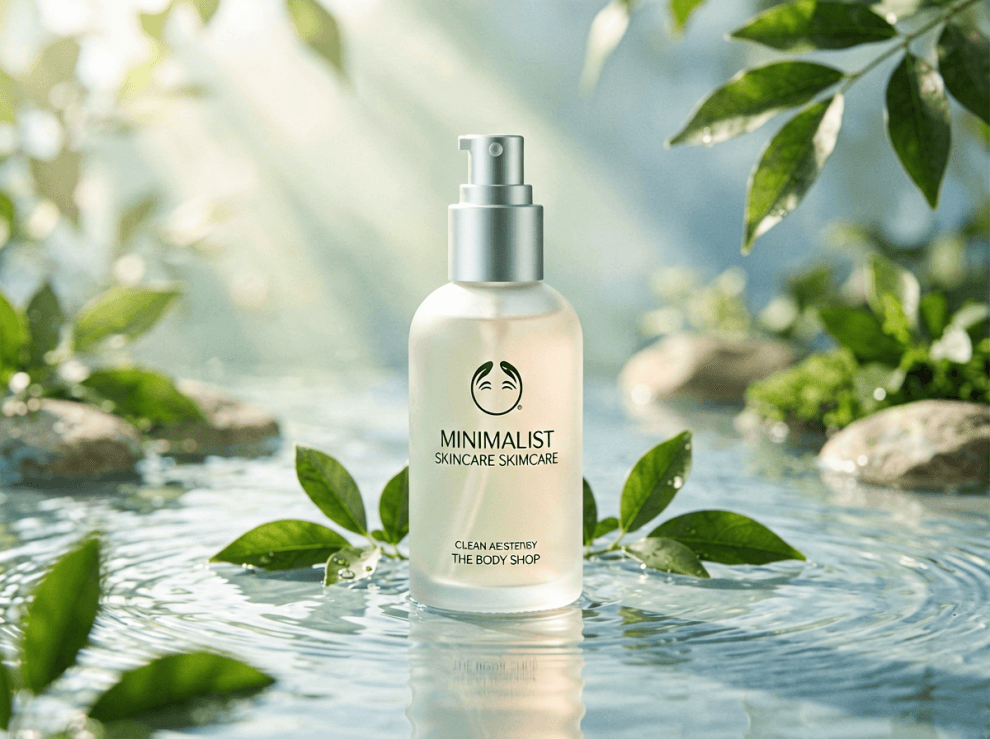
Product Lifestyle Shots
Skip the photography studio. ERNIE Image generates e-commerce-ready lifestyle product images - ceramics on warm wood surfaces, skincare in spa settings, tech accessories on minimalist desks - with photorealistic quality suitable for online stores and brand collateral.
Example prompt:Eco-Friendly Skincare Product “Minimalist skincare bottle made of frosted glass, placed in a serene natural setting with flowing water, green leaves, and soft sunlight rays, clean aesthetic inspired by The Body Shop, sustainability-focused branding, soft pastel tones, high-end product photography, calm and pure atmosphere”, aspect ratio 4:3, photorealistic, high resolution
Prompt Formula You Can Reuse Daily
Start every prompt with this stack: subject → scene → style → composition → text constraints. It keeps outputs stable while preserving creative range.
[subject/action], in [location + atmosphere], [style direction], [camera/composition], text: "[exact words]", [color script], [aspect ratio]
ERNIE Image Prompt Examples Library
Copy, adapt, and iterate. Mix categories to discover new visual directions faster.
Poster
Readable festival poster
+
Poster
Readable festival poster
Summer Music Festival poster - bold serif title at top, lineup names in white on dark teal background, minimal art deco border
Cinematic
Street photo atmosphere
+
Cinematic
Street photo atmosphere
Tokyo alley at golden hour, warm amber backlight, cyclist passing in blur, subtle film grain, shot at eye level
Manga
4-panel narrative setup
+
Manga
4-panel narrative setup
4-panel manga: panel 1 girl runs through rainy street, panel 2 finds a glowing door, panel 3 steps through, panel 4 emerges in a sunlit meadow - clean line art, expressive faces
Bilingual
English + 中文 product label
+
Bilingual
English + 中文 product label
Product label design: 'Matcha Latte' in clean sans-serif at top, '抹茶拿铁' in elegant brush-style Chinese below, sage green palette, minimal Japanese aesthetic
Product
Lifestyle commerce shot
+
Product
Lifestyle commerce shot
Minimal white coffee mug on oak desk, soft morning window light, succulent plant in background, shallow depth of field
Editorial
Travel guide page (from studio)
+
Editorial
Travel guide page (from studio)
Create image of Magazine feature article [travel] guide page, cute, information dense photo book style magazine feature article page. Add all necessary sections, tips, recommendations, information. add photos for any sections and recommendations if you like. Place the attached person at the precise location of [BEAUTIFUL IN THE KASHMIR VALLEY]. Seamlessly blend the attached person as if they are sightseeing. Approach this task with the understanding that this is a critical, information rich page that will significantly influence visitor numbers, text accuracy is important. Fully use the entire [16:9] page.
Portrait
Flash paparazzi portrait
+
Portrait
Flash paparazzi portrait
Unplanned paparazzi style portrait, an intense, close-up moment capturing a man with striking features as he [looks over his shoulder with a confident smirk]. Shot from a slightly low angle, showing only his face and shoulders amidst a blurred, bustling crowd. The image feels raw and spontaneous, lit by a harsh flash, high-ISO texture. He's wearing [a dark turtleneck and stylish sunglasses], embodying effortless street style chic, the energy and atmosphere reminiscent of Paris Fashion Week chaos.
Infographic
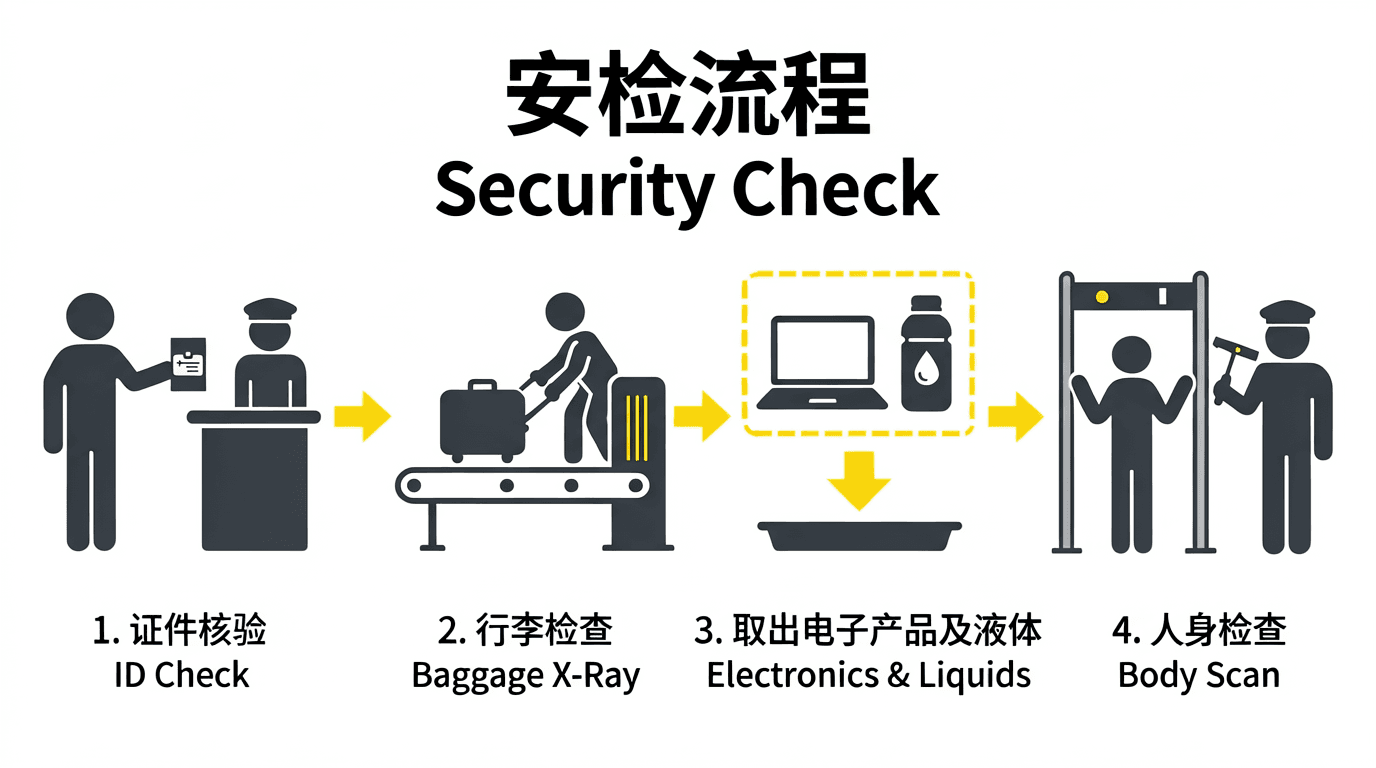
Security check pictogram
+
Infographic
Security check pictogram
A flat, minimalist-style pictogram instructional diagram with Chinese + English labels, horizontal white background, dark gray icons and yellow arrows. Header text: '安检流程' and 'Security Check'. Four steps: ID Check, Baggage X-Ray, Electronics & Liquids, Body Scan. Geometric human figures, no facial features, strict public signage style.
Social
Short-form quote visual
+
Social
Short-form quote visual
Minimal social card, clean black background, large centered quote text: 'Build fast. Learn faster.', white typography, subtle grain texture, modern editorial vibe, high contrast
Packaging
Premium skincare launch
+
Packaging
Premium skincare launch
Luxury skincare launch visual, frosted glass bottle on travertine slab, soft morning shadows, clean typography area left blank, neutral beige and muted sage palette, commercial still life
Storyboard
6-frame motion narrative
+
Storyboard
6-frame motion narrative
6-frame storyboard, character commuting through rainy city to bright studio, emotional progression from fatigue to determination, consistent outfit and facial features, cinematic framing
Technical
Blueprint-style food ad
+
Technical
Blueprint-style food ad
Technical architectural blueprint of a smash burger on deep navy drafting paper, electric blue measurement lines, warm spotlight on realistic burger layers, callout labels with CAD elbow-joint lines, high detail, 4:3
How to use ERNIE Image — FAQ
Short answers on prompts, text-in-image, aspect ratio, Turbo vs standard, and where to get help.
What is the fastest way to get a good first image?
+
What is the fastest way to get a good first image?
+Start with a short plain-language idea, then expand it using the structure on this page: subject, scene, style, composition, and any exact text you need in-frame. Generate once, then refine only the parts that missed—lighting, camera distance, or wording—instead of rewriting the entire prompt.
How do I make text inside the image actually readable?
+
How do I make text inside the image actually readable?
+Write the exact words you want inside quotation marks in your prompt, specify placement (for example top banner, center label, bottom caption), and name a typography style (serif headline, clean sans UI, stamped ink label). ERNIE Image is tuned for legible in-image text; being explicit beats vague instructions like “nice typography.”
Can I write prompts in Chinese or mix English and Chinese?
+
Can I write prompts in Chinese or mix English and Chinese?
+Yes. Describe the scene in the language you prefer and call out bilingual labels when you need them. For bilingual layouts, state which line is English and which is Chinese and keep each string short so the model can render both clearly.
When should I use ERNIE Image vs ERNIE Image Turbo?
+
When should I use ERNIE Image vs ERNIE Image Turbo?
+Use Turbo when you are exploring layouts, iterating on composition, or generating many variations quickly. Switch to the standard ERNIE Image mode when you need maximum detail, cleaner fine texture, or a final asset for print or large-format display.
How do I control aspect ratio and framing?
+
How do I control aspect ratio and framing?
+State the aspect ratio in plain language (for example 16:9 widescreen, 9:16 vertical social, 4:3 presentation) and add one camera phrase such as wide establishing shot, 50mm eye-level portrait, or top-down flat lay. Pairing ratio plus camera language reduces accidental cropping.
Why do my characters look different across panels?
+
Why do my characters look different across panels?
+Multi-panel scenes need explicit consistency cues: repeat signature wardrobe colors, hairstyle, and props in every panel description, and number your panels. Ask for the same character silhouette and outfit in each beat before you add unique actions per panel.
How many iterations should I plan for a polished result?
+
How many iterations should I plan for a polished result?
+Treat the first render as a composition proof. Most polished visuals land within two to four targeted edits: one pass for layout, one for lighting and materials, then optional passes for micro-details or text placement. Longer prompts are not always better—targeted edits usually win.
Where can I get more help or report a problem?
+
Where can I get more help or report a problem?
+Use the in-app workflow on https://ernie-image.co/create for generation issues. For account, credits, or billing questions, email support@ernie-image.co with a short description and, if possible, a screenshot of the result you expected versus what you received.
Ready? Open the ERNIE Image Generator
You now have the full workflow from first prompt to final render. Open the generator and put this guide into action on your next visual.